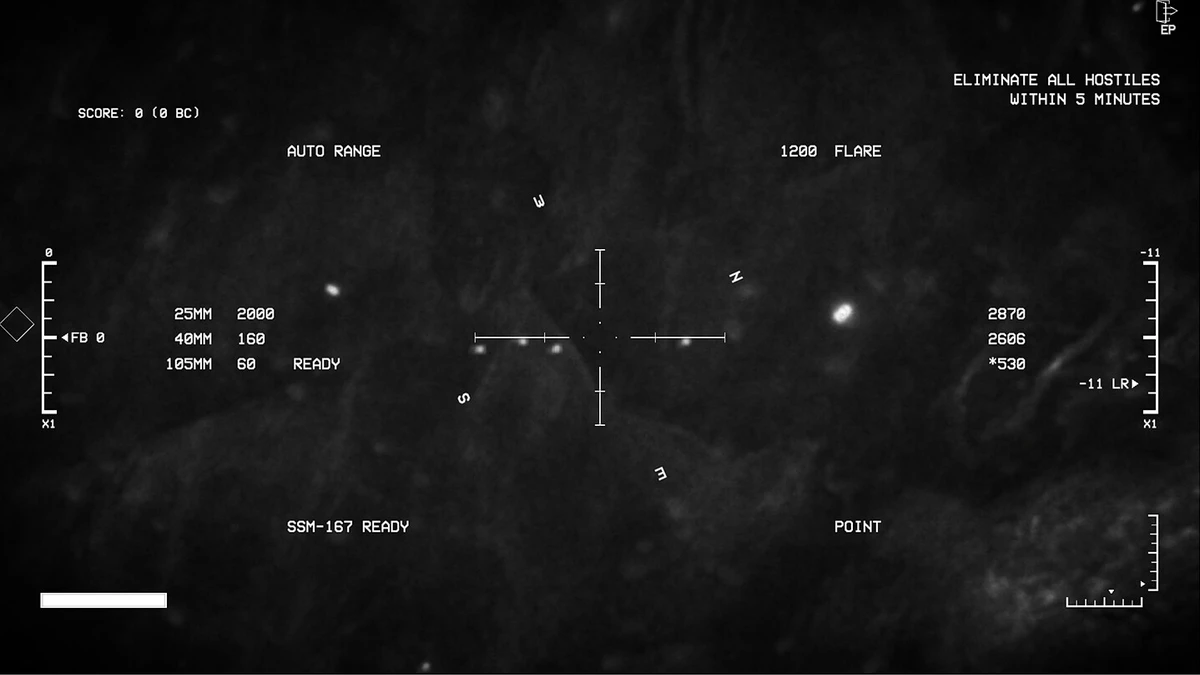
To orbit a target automatically with the AGC-103U or AGC-103J, engage the Point Lock (LOS) feature at the correct moment. Because these aircraft carry a left-mounted side camera, the target must remain on the left side of the aircraft at all times, which naturally produces a left-hand pylon turn. Point Lock removes the burden of manually managing that bank angle: it calculates and adjusts the bank angle for you. The key is timing the activation correctly, which is done by watching the lower camera direction indicator at the bottom left of the screen.
Why the Aircraft Requires a Pylon Turn
The AGC-103U and AGC-103J are built around a side-mounted camera on the left side, and that camera is the aircraft's primary display. To keep a target visible, the aircraft must maneuver so the target stays on its left. This forces a left-banking orbit, or pylon turn, around the target.
Holding that orbit manually is tedious and tiring. Small corrections are constantly required to keep the target in view and the turn stable. Point Lock is the feature that automates this workload.
What Point Lock Does
Point Lock uses a specific point as its reference. When activated, it computes the optimal pylon turn angle from two inputs:
- the camera's vertical angle, and
- a 90-degree angle to the left of the aircraft's current heading.
The result is an automatic bank adjustment that produces the correct orbital trajectory around the target, so the camera keeps looking at the same point while the aircraft circles it.
Steps to Engage Point Lock Correctly
- Approach the target so it is on the left side of the aircraft, consistent with the side camera.
- Locate the lower camera direction indicator at the bottom left of the screen.
- Maneuver until that indicator points directly at the center of the target.
- Activate Point Lock at that exact moment.
- Let the system compute and apply the bank angle; the aircraft will settle into the pylon turn automatically.
Timing Reference
| Condition | Action |
|---|---|
| Lower camera direction indicator is not on the target center | Continue maneuvering |
| Lower camera direction indicator points directly at target center | Engage Point Lock |
| Point Lock engaged | Automatic bank angle adjustment for the orbit |
Prerequisites
- Aircraft: AGC-103U or AGC-103J.
- Target positioned on the left side of the aircraft.
- Access to the Point Lock (LOS) control.
- Visual access to the lower camera direction indicator at the bottom left of the screen.
Common Mistake to Avoid
Do not activate Point Lock before the lower camera direction indicator is aligned with the center of the target. The calculation depends on the current camera vertical angle and the aircraft's heading; engaging too early will produce an orbit that does not keep the target properly framed. Wait until the indicator points directly at the target center, then engage.